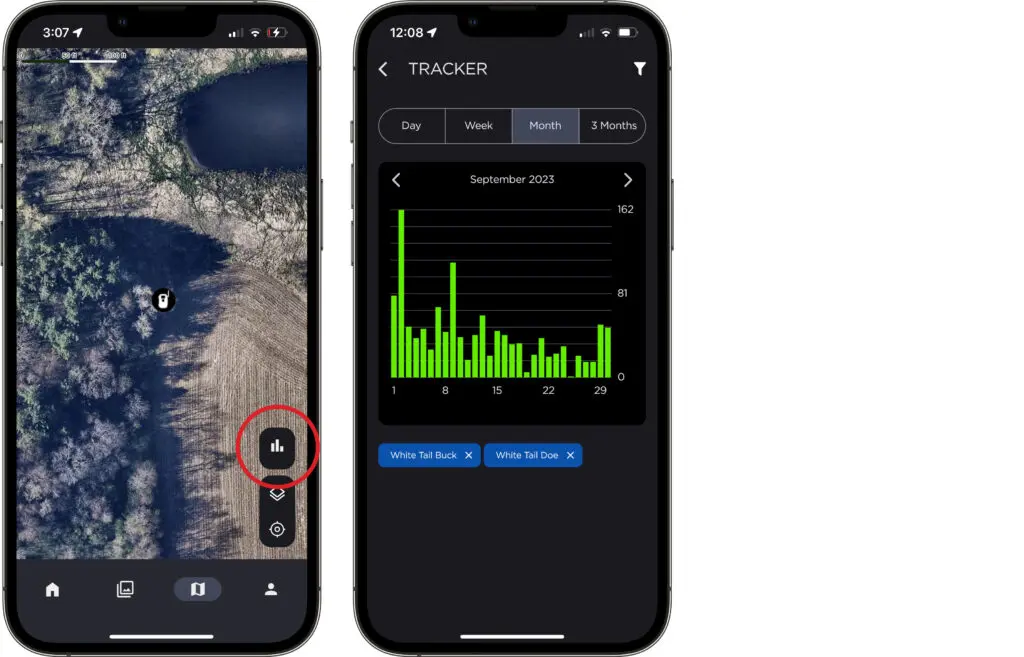
We’re excited to offer you new ways to analyze and utilize your trail camera photos. With our latest update to Command Pro — we’re reintroducing the classic Photo Tracker with the ability to filter your tracker results by A.I. photo tags, weather conditions, dates, and time of day. Update your app to the latest version (6.1.0) for access to the new Photo Tracker.
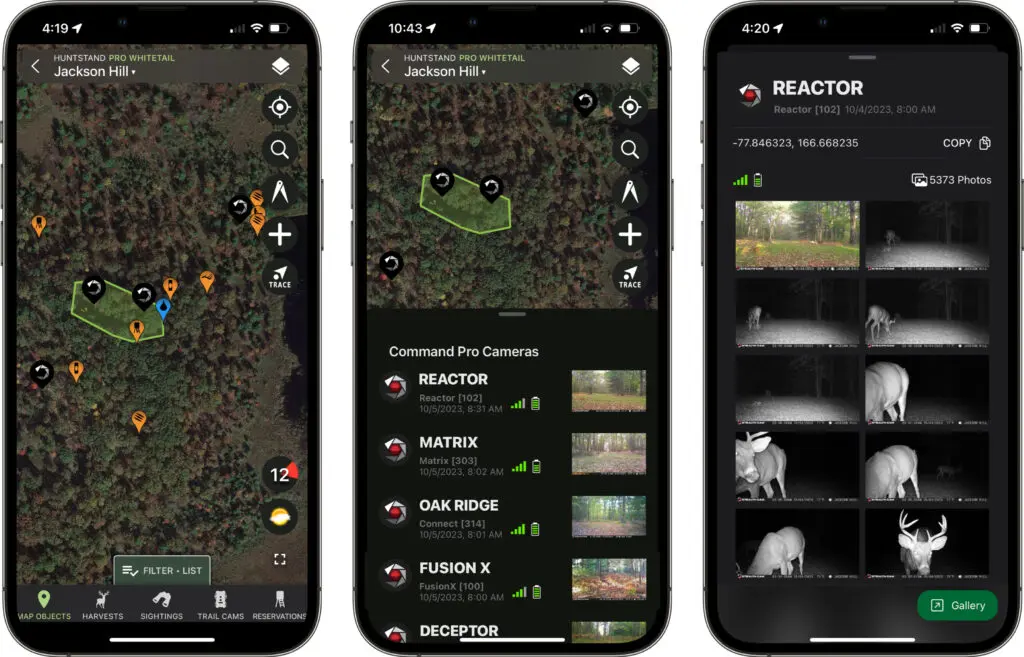
Did you know? You can connect your cameras to the HuntStand GPS mapping app to map your camera intel like never before. Download HuntStand for free and connect your Command Pro account to seamlessly review your latest trail camera photos within HuntStand. Get setup on HuntStand today as more advanced features are coming soon.
New Photo Tracker
You can access Photo Tracker by navigating to the Map tab on the bottom of your screen. Then tap the bar graph icon to open Photo Tracker. To apply filters to your Photo Tracker results, tap the filter icon in the top right corner of the Photo Tracker screen.
HuntStand Integration
Integrate seamlessly with HuntStand, taking your trail camera data to the next level. Visualize your camera intel directly on the map, ensuring you have a comprehensive understanding of deer patterns and terrain. Click here to download HuntStand or create a new HuntStand account now.
Watch this video below to learn how to connect your Command Pro account to HuntStand.
Coming Soon
We’re gearing up for even bigger advancements. From enhanced analytics to intuitive insights, both the HuntStand app and Command Pro will soon boast features that redefine trail camera intelligence.