
See more of what you want. Less of what you don’t.
Not every image is worth your time. False Image Detection is built to help cut down on the shots that do not matter, so your feed stays cleaner and your camera experience gets better from the start.
Available now on select Stealth Cam cameras, False Image Detection uses on-camera AI to help reduce unwanted uploads before they ever reach your app. That means less clutter, less time spent scrolling, and more focus on the images you actually care about.
What is False Image Detection?
False Image Detection is a Command AI feature designed to help reduce unwanted images. Instead of sending every motion-triggered photo through to your app, it helps filter out the shots that do not add value.
The goal is simple: cleaner feeds, fewer nuisance images, and a smarter overall camera experience.
Smart Mode vs. Lite Mode
False Image Detection is now available in 2 different modes depending on your camera model.
Smart Mode
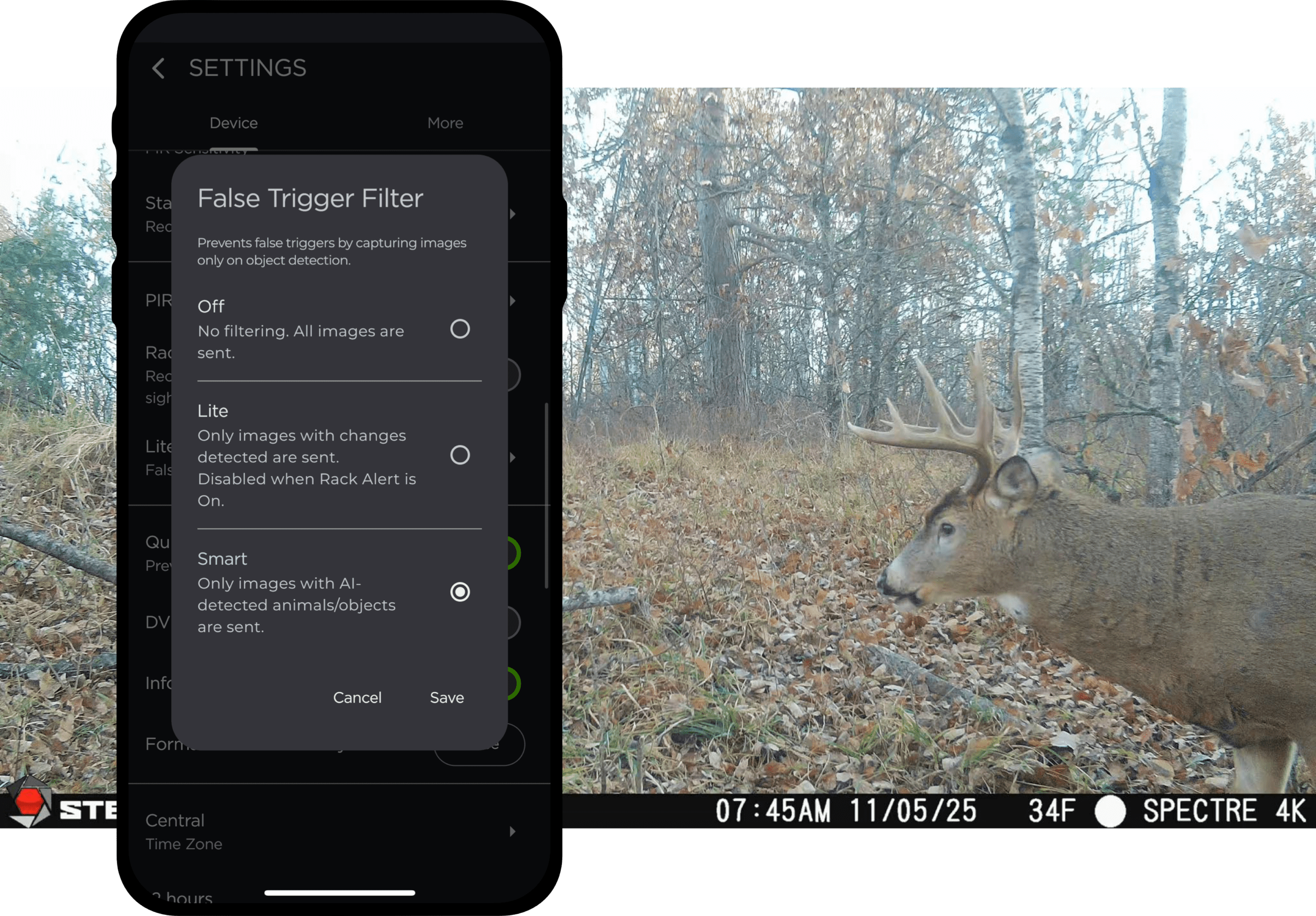
Smart mode sends photos only when on-camera AI detects an animal, human, or object in the image. That means fewer empty frames, fewer nuisance triggers, and less wasted time digging through images that do not help you.
It is a more advanced way to keep your feed focused on the activity that matters.
Lite Mode
Lite mode sends photos only when on-camera AI detects a meaningful change in the image. This helps cut down on unwanted uploads, including general false triggers and runaway photo sequences that can flood your feed with repeated images that do not add much value.
The payoff is simple: less clutter in the app, less time scrolling, and added battery and data savings from fewer unnecessary uploads.
Why It Matters
False Image Detection is built to make scouting easier.
That means:
- less clutter in your feed
- fewer empty or repeated images
- less time spent sorting through shots that do not matter
- a better overall camera experience
- added battery and data savings from fewer unnecessary uploads
It is one more way Stealth Cam is helping do more of the small stuff for you, so you can stay focused on the hunt.

Cameras That Support Smart and Lite Mode
The following new 3.0 cameras support both Smart and Lite modes for False Image Detection:
- Revolver Pro 3.0
- Deceptor Max 3.0
- Spectre 4K Pro
These models are built with the latest Command AI features to deliver the most advanced scouting experience from the start.
Cameras That Support Lite Mode
The following existing cameras can unlock False Image Detection Lite with a simple update:
- Revolver Pro 2.0
- Deceptor Max 2.0
- Spectre 4K
That is a big value add for cameras already in the field. With the latest camera software and an updated Command app, supported models gain smarter tools without needing to replace the hardware you already own.
360 coverage, panoramic imaging, and Rack Alert in one hard-working camera.
See More
More Power for Cameras You Already Own
For supported existing models, False Image Detection Lite is more than just a feature update. It is a meaningful upgrade to the camera experience you already have.
Less clutter. Less wasted motion. More value from the cameras already working for you.
How To Get Started
Getting started is simple. First, make sure your supported camera is running the latest software version. Then update your Command app to the latest version. Once both are up to date, your camera will be ready to use False Image Detection in the mode it supports.
Update your camera, update the app, and put the new tools to work.
SHOP cell cams